Maps & navigation · Mainland China
Does Google Maps work in China? What to use instead
A familiar hotel name is a start. The right branch, entrance and metro exit are what get you there. Set up a local map before you need it on a busy pavement.
By TravelPalPal · Updated October 21, 2026 · 6 min read
The short answer
Use Amap for everyday navigation in mainland China; it has an English interface on supported versions. On an iPhone, Apple Maps is another convenient option. Keep Google Maps for background research rather than relying on it for your next turn, a small restaurant or a driver’s pickup point.
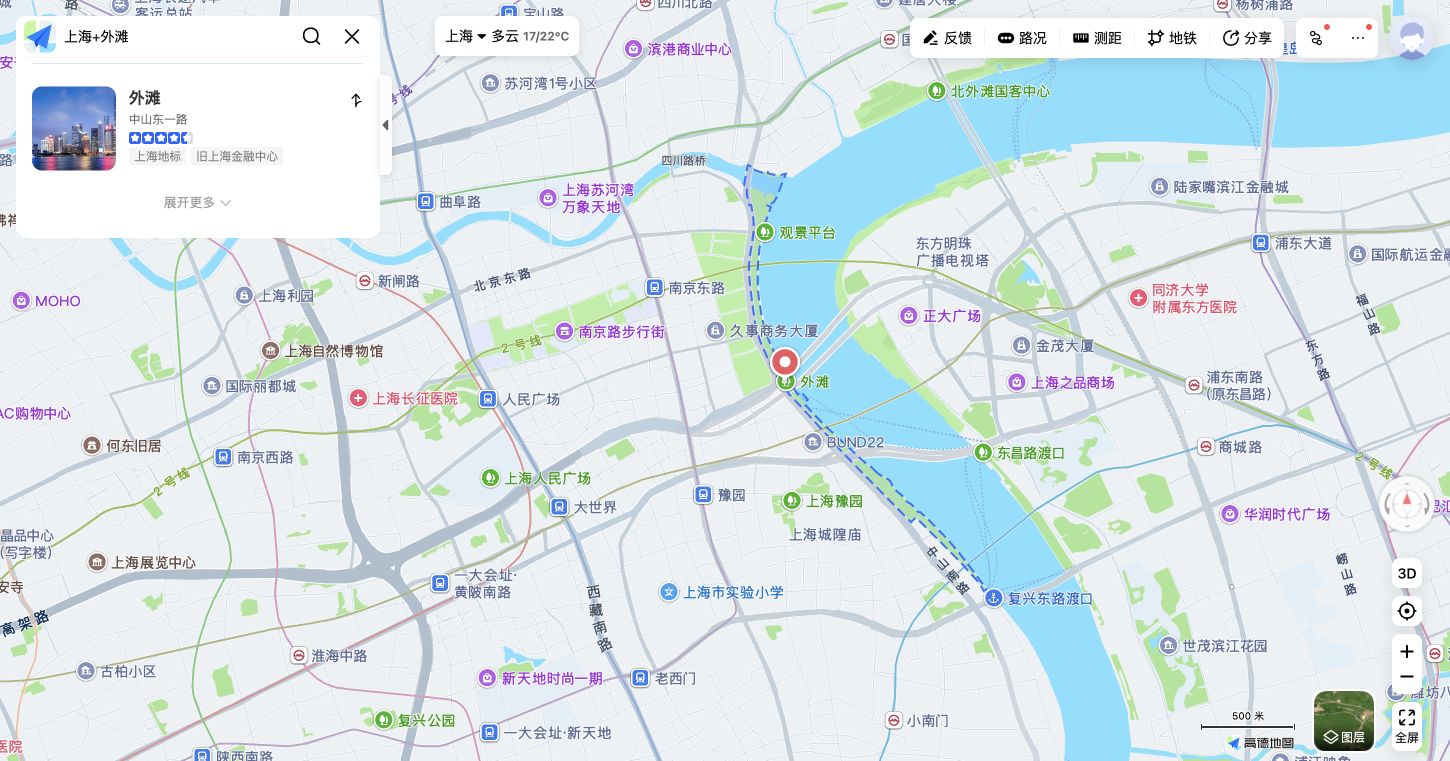
Search the destination in Amap itself. The Bund appears here as 外滩, with its street location and surrounding roads. This is the Chinese web interface; see the English app example below.
Amap · web interface01
Why Google Maps can be unreliable in China
On a mainland mobile connection or hotel Wi-Fi, access to Google services can be restricted. An overseas roaming connection can behave differently. That explains why one traveller can open Google Maps while the person beside them cannot.
Access is only part of the problem. Local business coverage, fresh opening details, transit information and precise entrances are often more useful in a China-focused app. Map layers and coordinates can also disagree when information is carried between services. An imported pin or a satellite image that looks shifted is a reason to check the destination again, not to walk towards it blindly.
Changing your connection will not update a closed restaurant or pick the right hotel branch. Search the destination afresh in the map you will use on the ground. There is no need to manually adjust latitude and longitude for a normal city outing.
02
Which map app should you use in China?
Start with Amap if you want a local option on iPhone or Android. The Chinese name is 高德地图, also called Gaode. In overseas app stores it can appear as AMap Global. Check that the developer is AutoNavi; “Global” branding does not mean you need an unrelated travel app.
If you already use an iPhone, try Apple Maps as well. Apple lists transit support in mainland China. Search your first hotel and compare a walking or metro journey once you have arrived, then use whichever interface you find easier.
Baidu Maps is another established local option, especially when someone helping you already uses it. For a first visit, setting up and learning one app is more useful than installing every map mentioned in a guide.
| Your setup | Start with |
|---|---|
| Android phone, English menus | Amap from the official app store; set English. |
| iPhone, want to use a built-in app | Apple Maps, with Amap as a useful second option. |
| Someone sends a Chinese place name | Paste it into Amap and confirm the address and branch. |
| No mobile data for part of the day | Save the address and route screenshots; download an offline area if your app offers it. |
03
How to change Amap to English
Install or update Amap before departure, particularly if you will need Google Play to download it. Open the app on Wi-Fi and look for the profile or Me area, then the settings gear. Find Language, shown as 语言 or 多语言, and select English.
If English is missing, check for an update and the app’s language settings on your phone. Store region and version can affect what appears. Avoid starting with an old tutorial that tells you to uninstall everything; first check what your current app already offers.
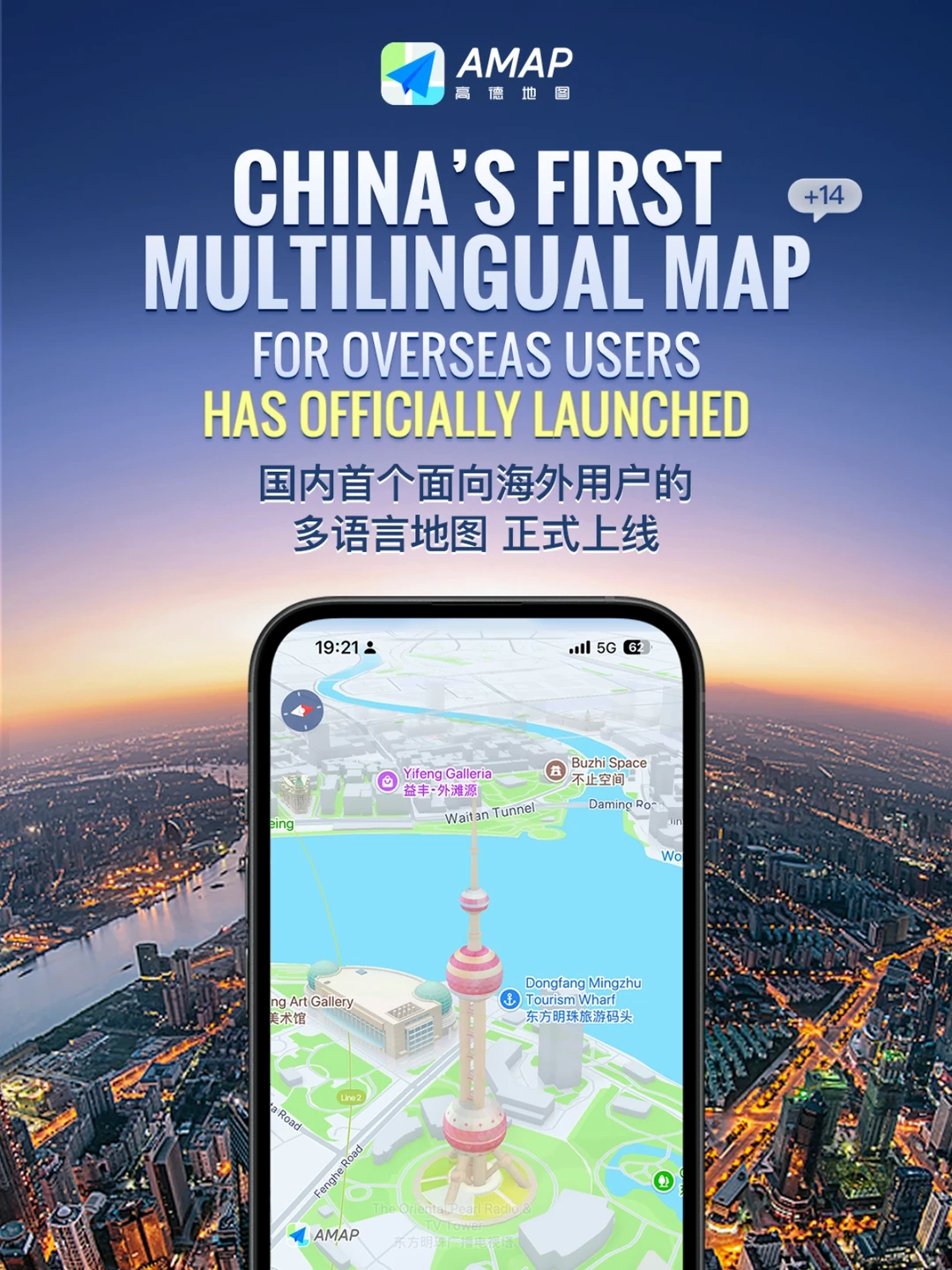
Amap’s own English-map example shows bilingual place labels around Shanghai. Keep the Chinese name as well when sharing a destination with a driver.
AmapAllow location access while using the app when you want live directions. If the blue dot is missing, check the phone’s location permission before assuming the map is broken. You can still search a place or plan between two named locations without using your current position.
04
How to find a place using its Chinese name and address
Large attractions often appear when you search in English. Small restaurants, apartment entrances and similarly named hotels are where Chinese characters save time. Copy the property’s Chinese name and street address from its booking page or ask the host to send them as text.
Paste that name into search and read the result’s district and street. A familiar hotel chain can have several branches across a city. The nearest result is not automatically the one you booked. For railway stations, keep the direction word too: a station with “South” or “Hongqiao” in its name can be a completely different departure point.
1Check the street address and hotel branch
Compare the street, district and branch name with your reservation. Use the listing’s photos or a message from the hotel if two results look similar.
2Choose walking or public transport directions
Tap Directions and choose walking or public transport. A short straight-line distance across a river, expressway or walled compound can turn into a much longer route.
3Find the entrance you need
Look for the public gate or lobby rather than the centre of the building. For a large attraction, confirm which entrance your ticket uses before you set off.
05
Finding metro exits and taxi pickup points
For a metro journey, note the line, direction and exit number as well as the station name. A station can stretch under a major junction, and using the wrong exit can add a long crossing or another set of stairs. Follow current station signs if an exit is closed.
For a taxi or DiDi ride, set the pickup in the ride app itself. A shopping centre’s front door, underground car park and ride-hailing pickup area may be in different places. Read the pickup instructions and send the driver a recognisable entrance or sign if needed.
If a friend shares a pin from another map, use its place name to search again in yours. Compare the address before copying that location into a ride request. A screenshot helps you recognise a place, but it does not tell the driver which side of the road you are standing on.
06
How to save addresses and routes for offline use
Before heading out, save your hotel’s Chinese name and address in a note on your phone. Keep a screenshot of its map location, the nearest metro station and the exit you plan to use. A hotel business card works too, especially when your battery is low.
If your map offers offline downloads for the area, download one over Wi-Fi and check what works without data. Do not assume an offline map includes live buses, traffic, current business hours or ride booking. Those still need a connection.
When a route suddenly looks wrong, stop somewhere out of the foot traffic. Recheck the city, destination branch, travel mode and blue-dot position. If you are still unsure, show the Chinese address to hotel or station staff. It is usually quicker than following an uncertain arrow for another ten minutes.
Frequently asked questions
- Will a different internet connection make Google Maps accurate?
- It can help it load, but it does not repair missing listings, old business information or a mismatched pin. Check the destination in a local map before starting a journey.
- Can I use Amap without knowing Chinese?
- Yes, supported versions offer English. Keep the original Chinese name of your destination anyway: it helps with small businesses, branches and conversations with drivers.
- Does this advice cover Hong Kong and Macau?
- This guide is for mainland China. Connectivity, map coverage and transport systems differ in Hong Kong and Macau; check those journeys separately.
Before you travel: App names, language menus and regional features change. Screenshots are illustrative rather than a live route. Check the destination’s current entrance, opening hours and transport signs before travelling.